Skip to content
Bifröst Orbit
Sign in

The Orbit app for iPhone

Your whole organisation. In your pocket.

One app for every satellite, built for the iPhone rather than squeezed onto it. What waits for you, the notifications you choose and every satellite's own screens, with the same sign-in, people and roles as on the web.
The app in the docs

A tour of the app

Every satellite, made for the phone

Not web pages in a frame. Each satellite has its own native screens, with the actions you'd reach for on the move.

  1. Home

    Everything waiting for you, first

    A greeting, what waits for you today and a card for each satellite you use, from the shop's takings to the next appointment.
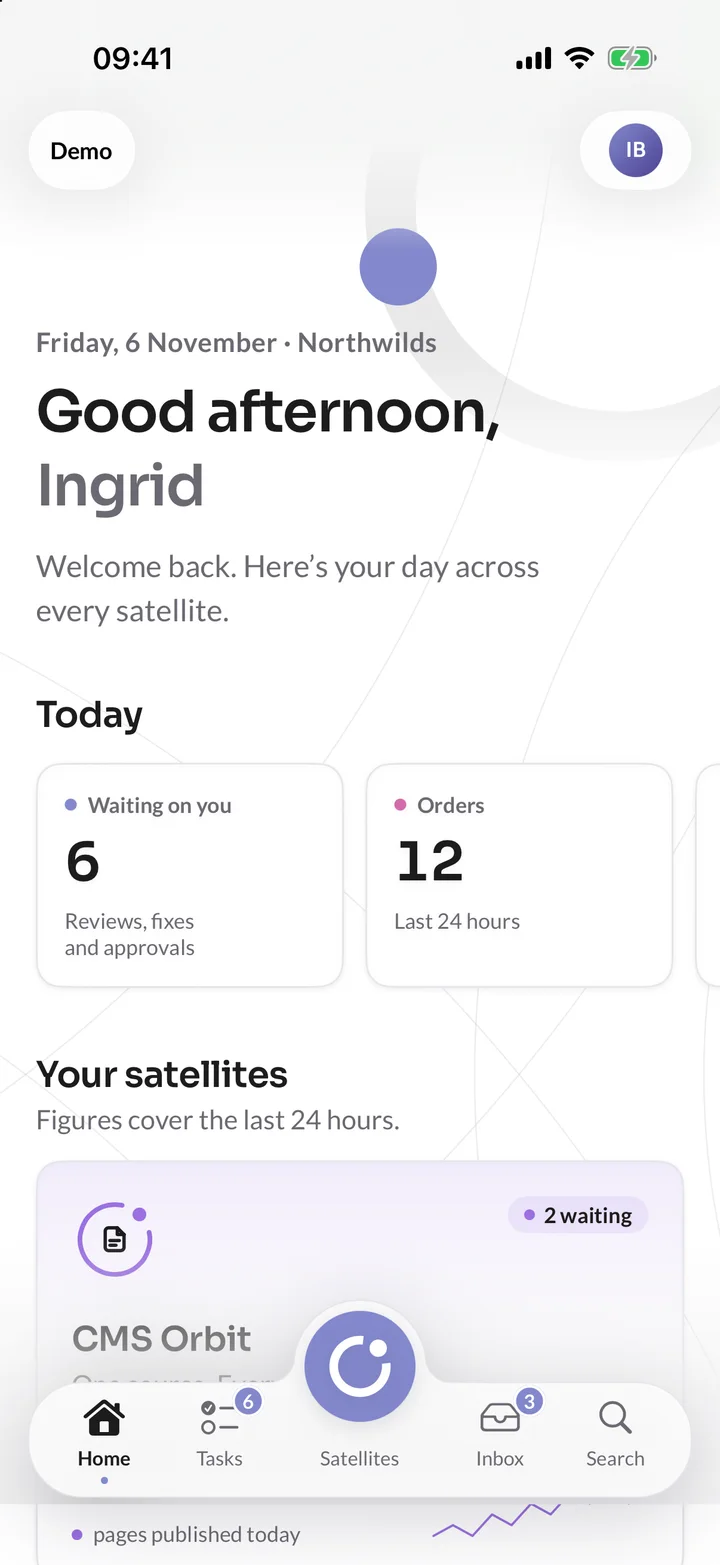
    Home in the Orbit app: a greeting for Ingrid at Northwilds, six things waiting and twelve orders today, above a card for each satellite.
  2. Tasks

    Approve with a swipe

    Pages to publish, a ski service to confirm, a review to answer: tasks from every satellite in one list. Swipe to approve or send back, without opening a laptop.
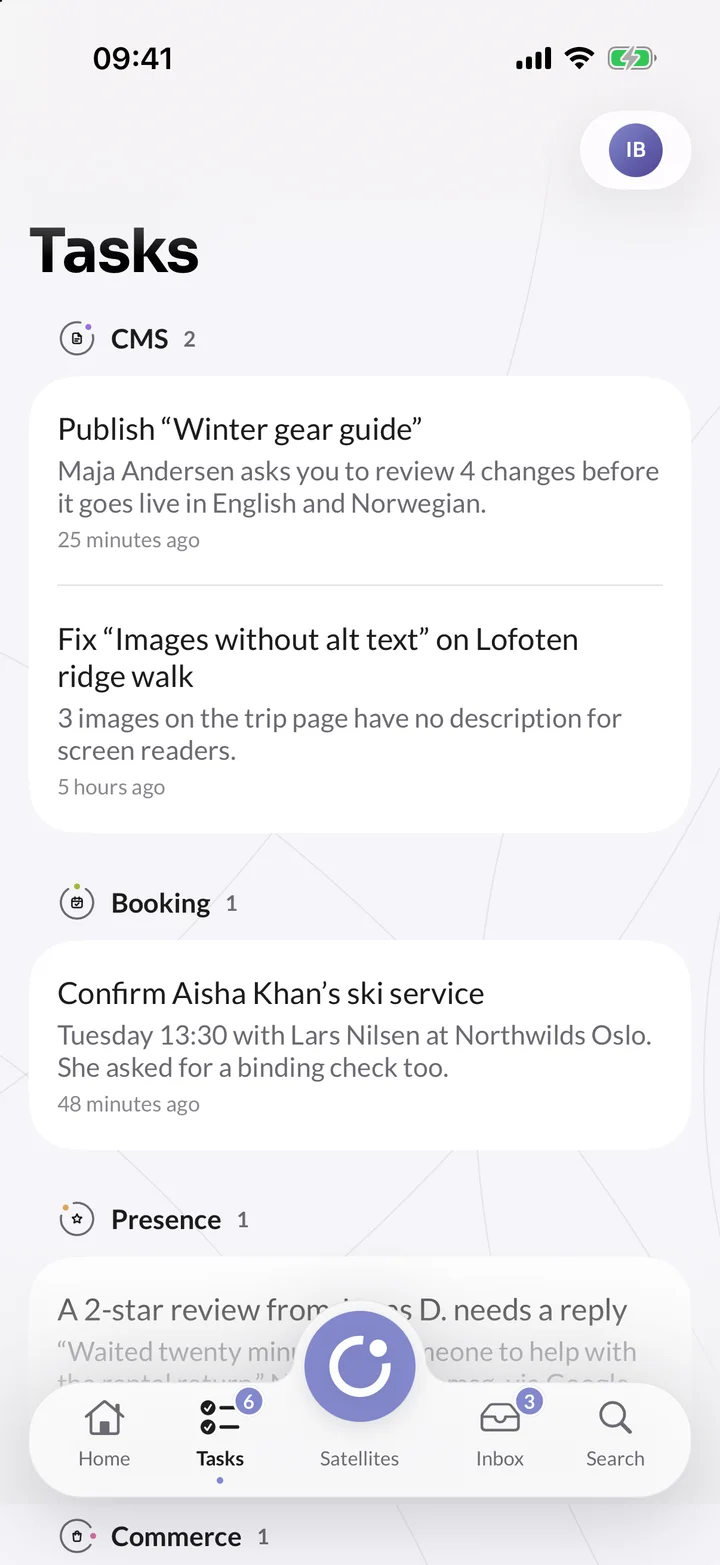
    Tasks in the Orbit app for Northwilds, grouped by satellite: a page to publish and alt text to fix in CMS Orbit, a ski service to confirm in Booking Orbit and a review to answer in Presence Orbit.
  3. CMS Orbit

    Edit a page on the train, even offline

    Every field and component, with controls made for the phone. Changes are kept while you are offline and saved when you're back, and the page is held so nobody overwrites you.
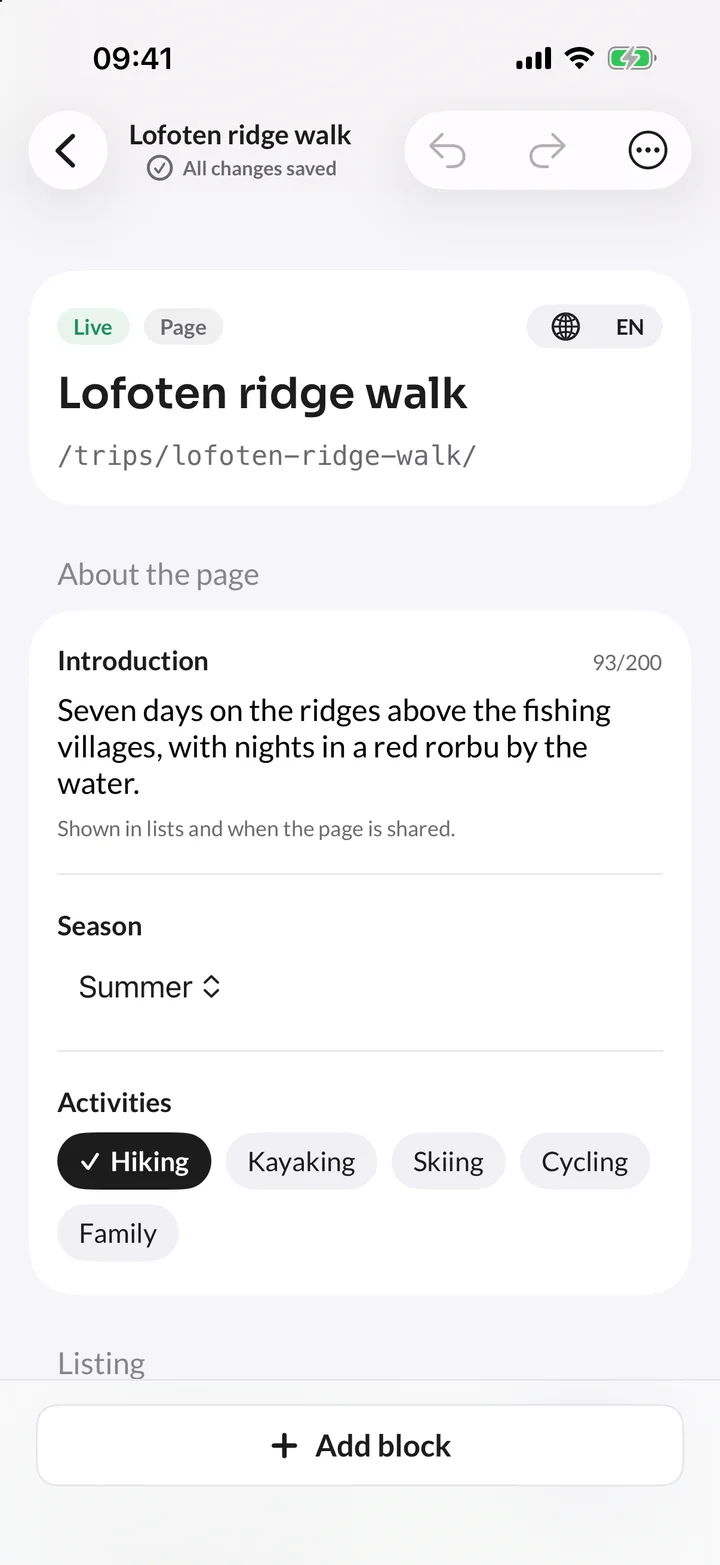
    The Lofoten ridge walk page open in the CMS Orbit editor on iPhone, with its introduction, season and activities ready to edit and a button to add a component.
  4. Booking Orbit

    Today's appointments, wherever you are

    Each location's day and who is next. Swipe right to check a customer in, left for a no-show, or move an appointment to another free time.
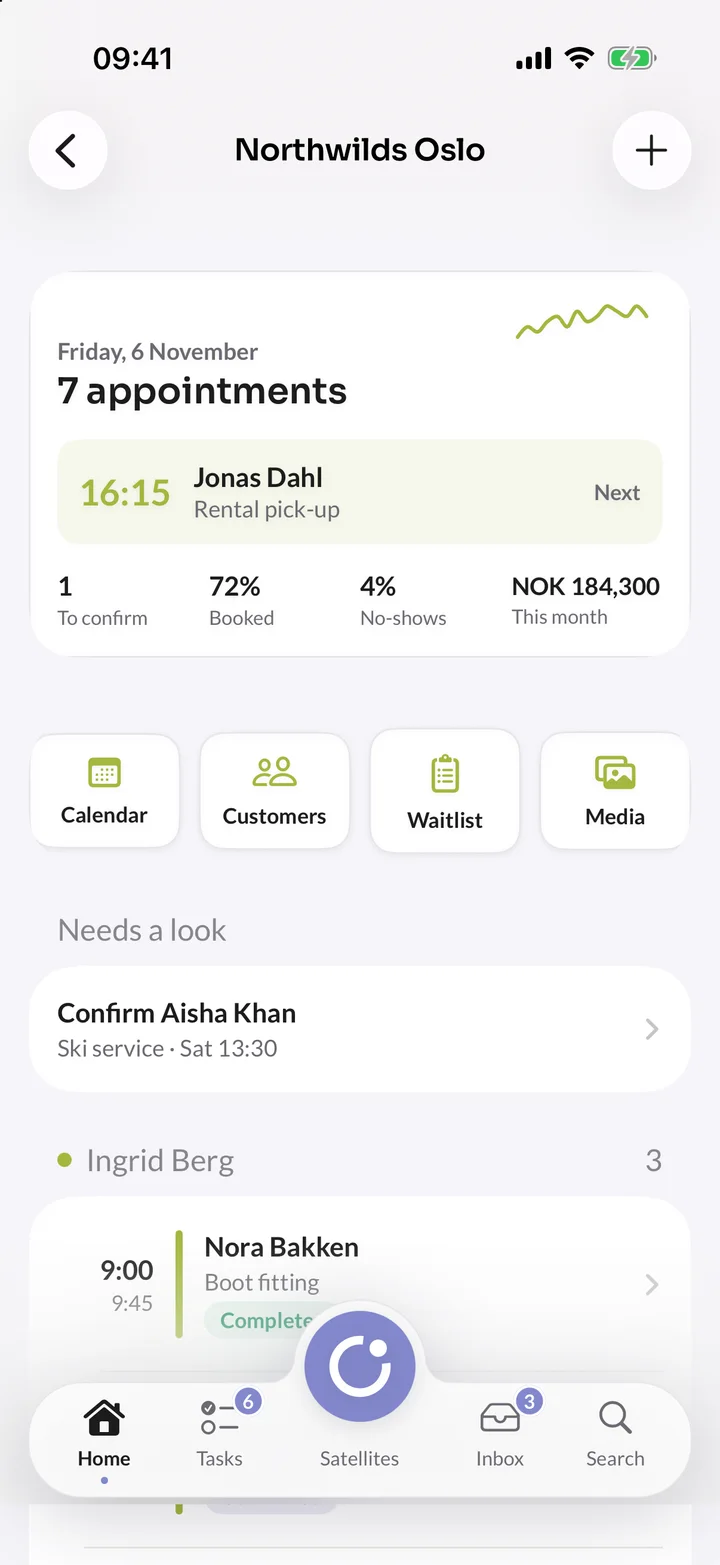
    Northwilds Oslo in Booking Orbit on iPhone: seven appointments today, the next customer at 16:15, a booking to confirm and the day by person.
  5. Commerce Orbit

    Send, refund or count stock from the shop floor

    Follow orders and takings as they come in, send or refund an order, and scan a product's barcode with the camera to count stock.
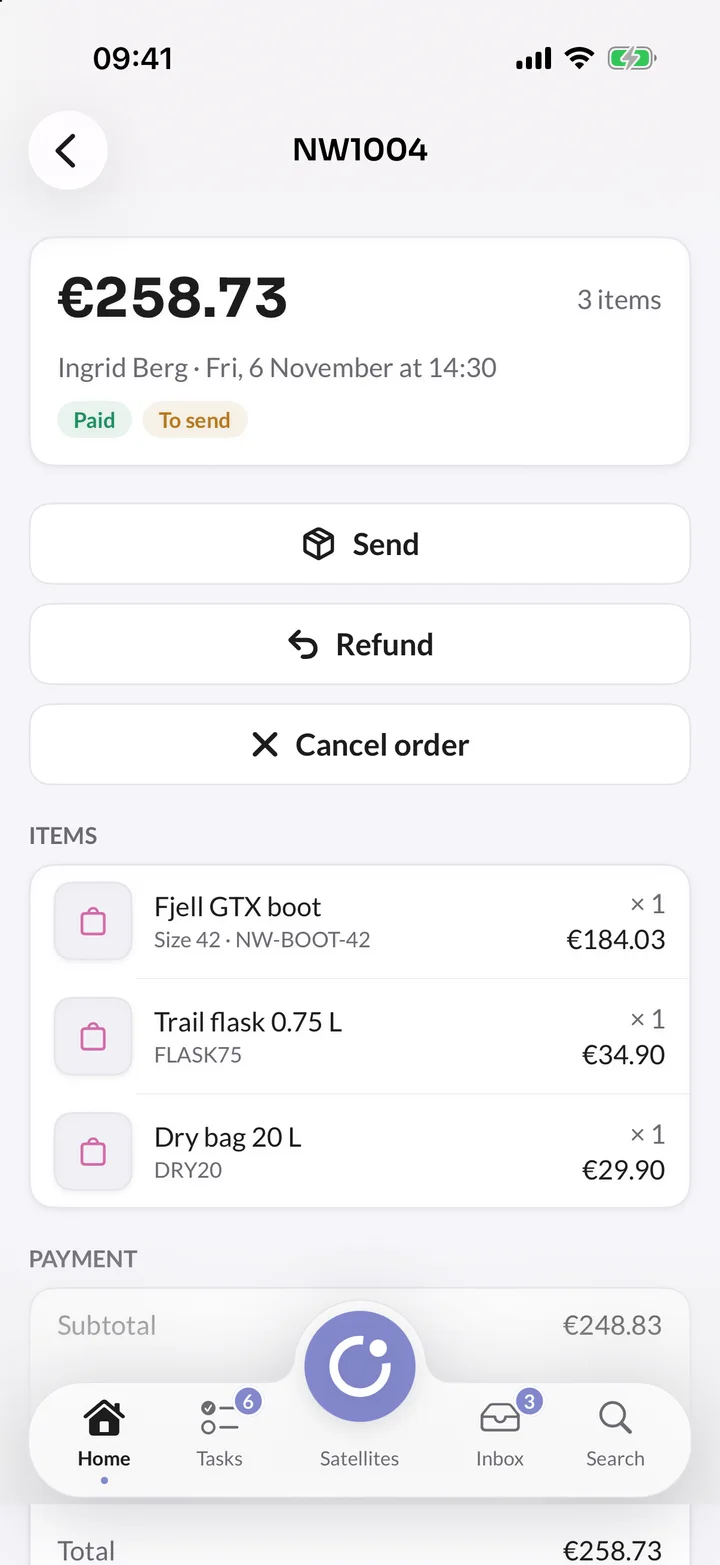
    Order NW1004 in Commerce Orbit on iPhone: €258.73, paid and ready to send, with buttons to send, refund or cancel and the items in it.
  6. Travel Orbit

    Check travellers in at the trailhead

    See how full each departure is, open a booking with its travellers and payment plan, and check people in as they arrive.
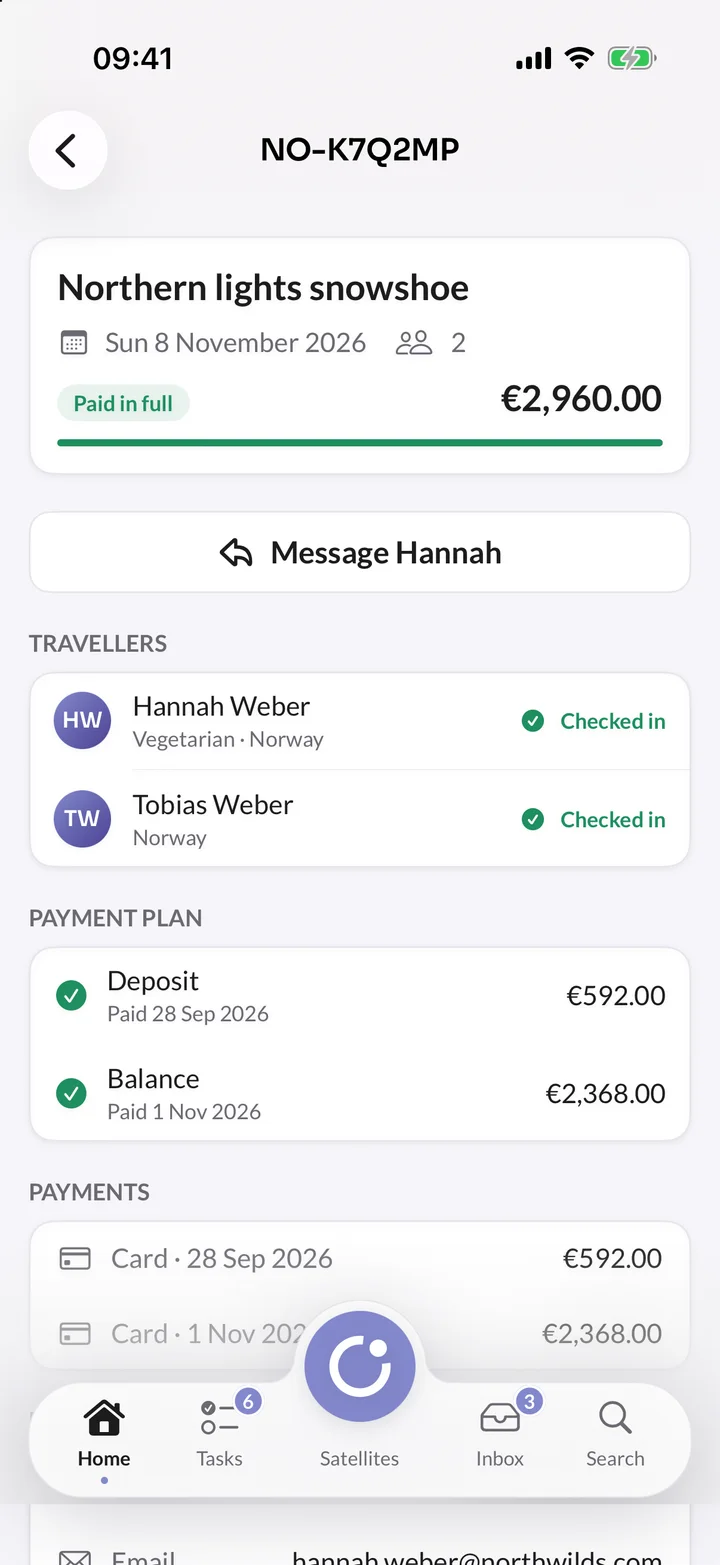
    A booking for the northern lights snowshoe in Travel Orbit on iPhone: paid in full, two travellers checked in and the deposit and balance in the payment plan.
  7. Presence Orbit

    Reviews as they arrive, replies before lunch

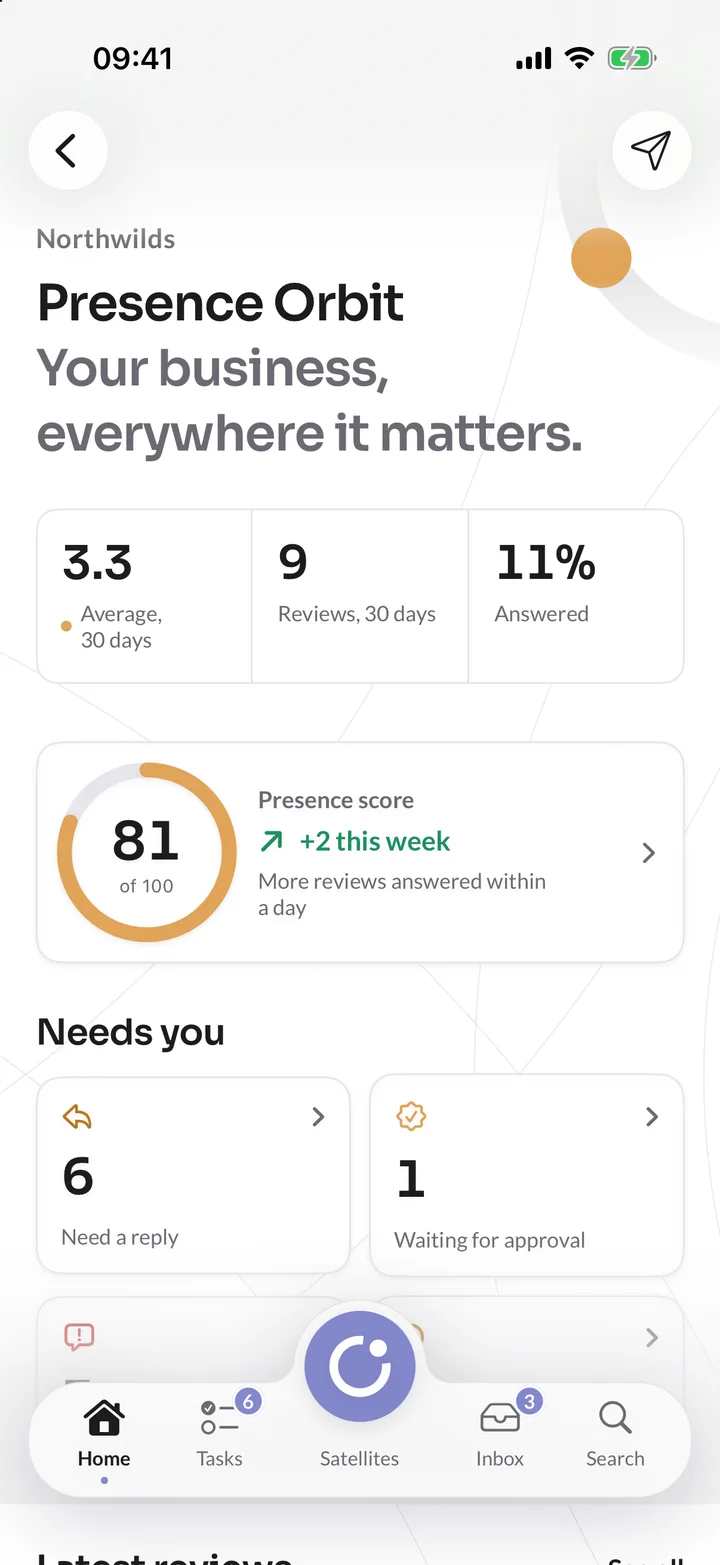
    New reviews from every site in one inbox. Reply, or start from a draft written with AI, and send it for approval when your organisation asks for one.
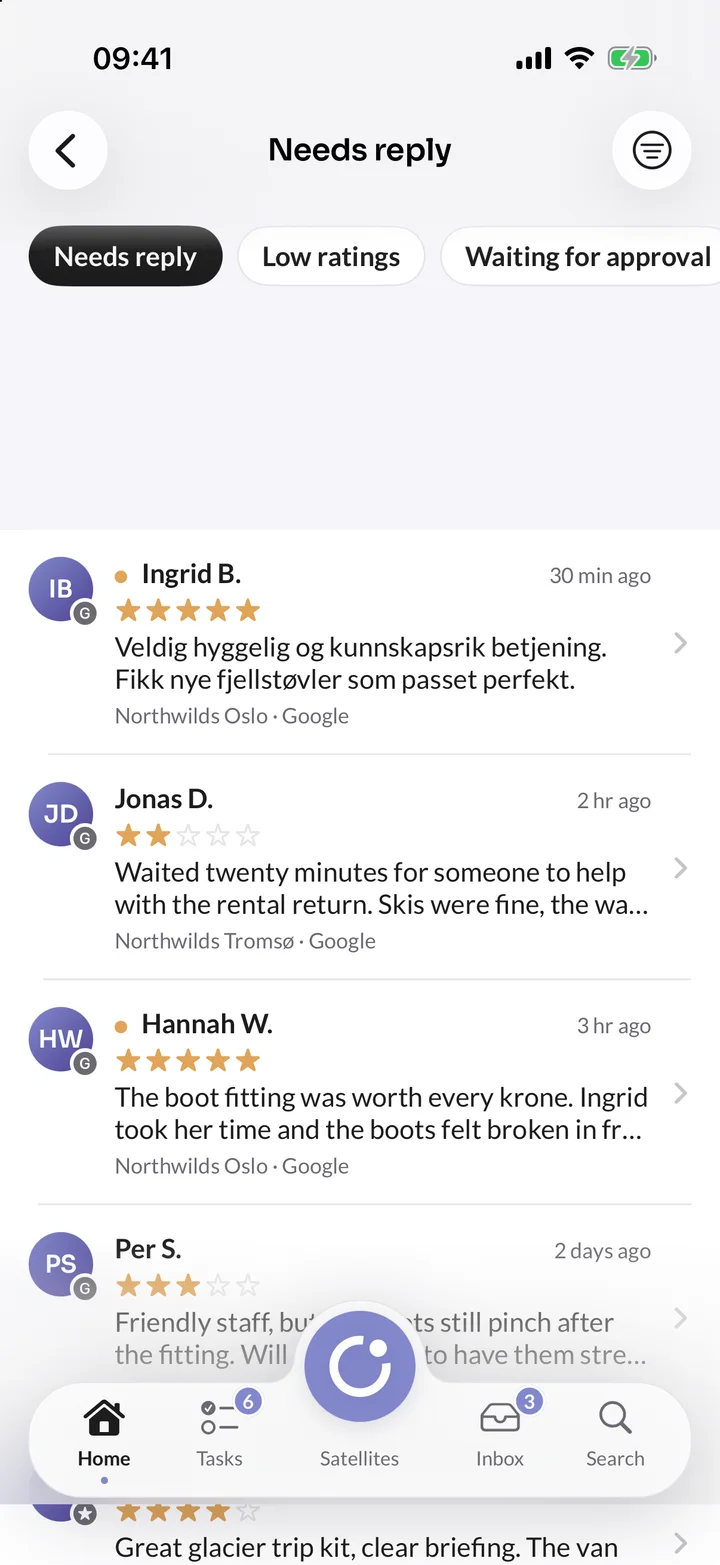
    Reviews that need a reply in Presence Orbit on iPhone, from Google for the Northwilds shops in Oslo and Tromsø.
  8. Insights Orbit

    Who is on your website right now

    Visitors in the last 30 minutes and the pages they're on, each period against the one before, and every goal with its conversions.
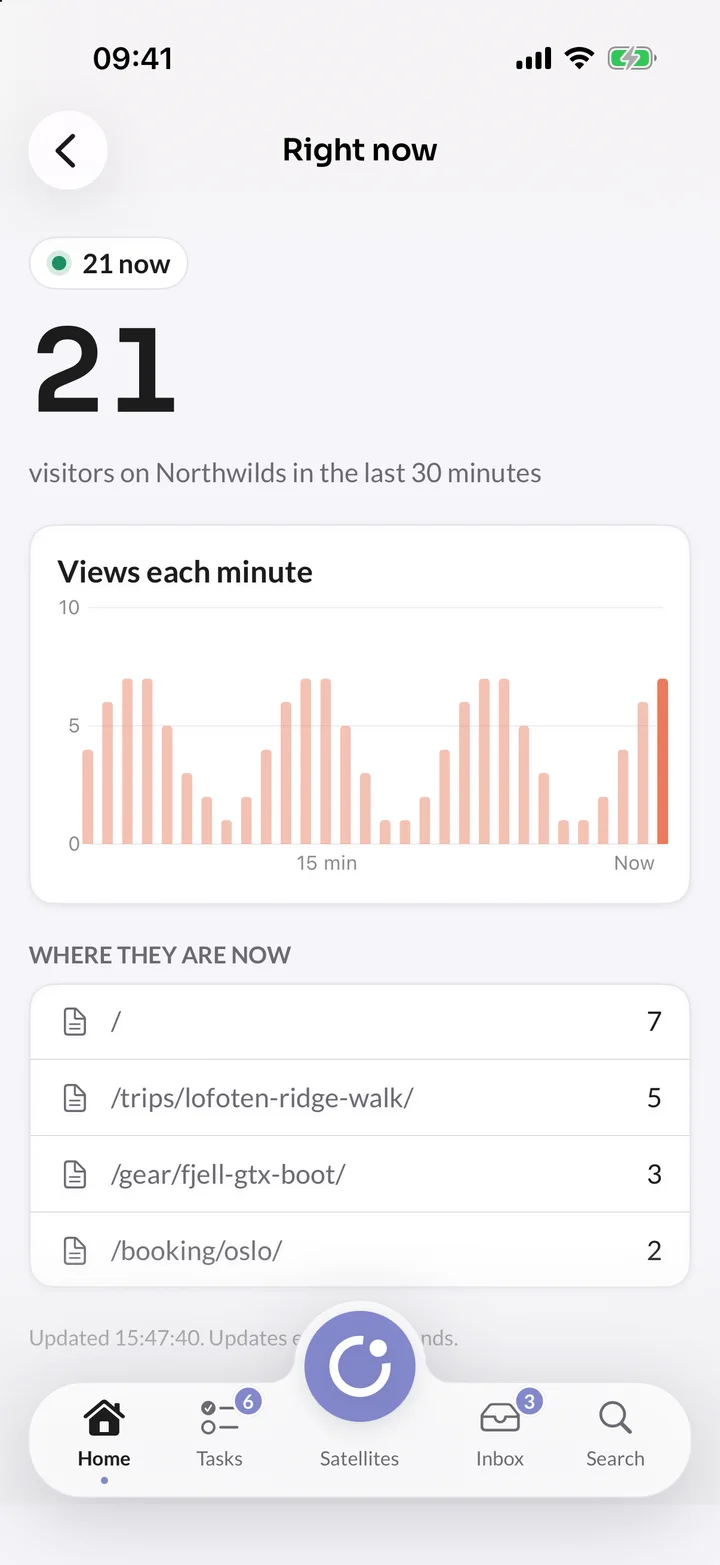
    Right now in Insights Orbit on iPhone: 21 visitors on northwilds.com in the last 30 minutes, views each minute and the pages they are on.

Made for the phone

The small things that make it feel right

Notifications you choose

All, none, or only some satellites, such as Booking Orbit and not CMS Orbit. Tap one and you land on what it's about.

Native, not a website

Tasks, notifications, search and every satellite open as screens in the app. Only pages outside Orbit open in Safari.

Keeps going offline

Edits to pages wait for a connection, and the legal documents open without one.

Photos straight from the camera

Upload from Photos, Files or the camera to any satellite's media library, made smaller on the phone first to save your data.

Your usual sign-in

Your company's SSO, a passkey with Face ID or an email code, as on the web. The app never sees a password.

Locked, and easy to sign out

Lock the app with Face ID or Touch ID, so nothing shows until you unlock it. Lost your phone? Sign it out under Your account on the web, and it stops reaching Orbit at once.

Coming to the App Store.

The Orbit app is being tested now and isn't in the App Store yet. Everything you see here works today on the web, with the same sign-in, so you can start now and pick up your phone when it arrives.

About Bifröst Orbit