Skip to content
Bifröst OrbitTravel Orbit
Sign in

Travel Orbit

Every trip, from booking to departure. Paid through your own Stripe.

Travel Orbit runs trips, bookings and payments for tour operators.

Write each trip day by day, open departures with their own places and prices, and take bookings with a deposit and instalments. Every payment goes straight to your own Stripe account, never through us.

Book a demo

Who it's for

Made for people who run trips, not rooms

Travel Orbit fits operators who sell set itineraries on fixed dates, to individuals and to groups.

Small-group tour operators

Walking, paddling, cycling and cultural trips with a guide, a group size and dates that fill up one place at a time.

Operators with several brands

Run each brand with its own trips, booking pages, legal details and Stripe account, under one sign-in for your team.

Teams that sell by phone too

Take bookings online, as requests to confirm, or on a traveller's behalf after a call, all in the same list.

Why Travel Orbit

From spreadsheets and chasing payments to one place

Most operators sell trips with a website, a spreadsheet of departures and a payment link for each instalment. Here is what changes.

  • Places

    Today

    A spreadsheet counts places, and two people can sell the last one at the same time.

    With Travel Orbit

    Each departure counts its own places. Places are held while a traveller pays, and a full departure can't be booked.

  • Itineraries

    Today

    Day-by-day text is copied between the website, PDFs and emails, and drifts apart.

    With Travel Orbit

    Write the itinerary once. The booking page, the booking API and your CMS Orbit pages all show the same days.

  • Instalments

    Today

    Someone sends a payment link for each instalment and checks the bank to see who paid.

    With Travel Orbit

    The payment plan follows every booking: reminders before each due date, automatic payments and retries when a card fails.

  • Cancellations

    Today

    Refunds are worked out by hand from the terms in a document.

    With Travel Orbit

    Each trip has its own cancellation steps, and Travel Orbit works out the refund when a booking is cancelled.

  • Travellers' questions

    Today

    Messages arrive in personal inboxes, and nobody knows who answered.

    With Travel Orbit

    Travellers write from their portal. Each booking has an owner, a conversation, team notes and follow-ups.

Itineraries

Write the trip once, day by day

Each day has its title, what happens, where it takes place on the map and how far travellers walk, cycle or paddle. Add where they sleep, which meals are included and an image.

Travel OrbitItinerary
  • Travel on each day: Flights, ferries, trains and buses, leg by leg, shown as a small timeline on the booking page.
  • A route map: Every day with a place is numbered on a map and joined into the route.
  • Guides and places to stay: Kept in one library. Change a hotel once and every trip that uses it follows.
  • Your own kinds of day and meals: Add a 'Summit day' or a 'Packed lunch' once, and every trip can use it.

Itineraries carry no dates, so the same days work for every departure.

Departures

Sell every date, and see how full it is

A departure is one run of a trip, with its own places, status and, if you like, its own prices, such as a higher price in July. Add a run of dates, such as every Saturday through the summer, and change any of them afterwards.

  • Places that add up: Booked, being paid for and left, for every departure, with a limit per room, package or extra too.
  • Guaranteed to run: Tell travellers a date will go ahead, with a shield on the booking page.
  • A calendar of every trip: Each departure as a bar across its days, with the places left, Full or Closed.
  • Book by: Stop online sales before departure, while your team can still book for travellers.
Travel OrbitDepartures

Payment plans

Deposits and instalments that collect themselves

Choose a deposit as a share, a fixed amount or nothing, when the balance is due and how many instalments it's split into, up to 24. For example, the Lofoten ridge walk at €1,240 takes a 20% deposit of €248 when booking, then three instalments of about €331 up to 60 days before departure.

Travel OrbitPayment plan
  • Automatic payments: Take each instalment from the card saved at checkout, with an email a few days before.
  • When a card fails: The traveller hears straight away, and the card is tried again one day and three days later.
  • Overdue payments: A reminder every three days, and a list for your team of everything due and overdue.
  • Several currencies: Set your own NOK or SEK prices beside your euro prices. Nothing is converted at checkout.

How it works

From a new trip to departure day

The path a trip takes in Travel Orbit, with the work your team does and what runs by itself.

  1. 01

    Connect Stripe

    An Admin pastes a restricted key from your own Stripe account. Until then, bookings arrive as requests.

  2. 02

    Build the trip

    Write the itinerary, set rooms or packages, extras, the payment plan and the cancellation terms.

  3. 03

    Open departures

    Add the dates with their places, publish, and the trip appears on your booking pages.

  4. 04

    Take bookings

    Travellers book and pay the deposit, or ask first. Your team books for anyone who calls.

  5. 05

    Collect the rest

    Reminders and automatic payments follow each booking's schedule until it's paid.

  6. 06

    Travel

    Download the traveller list for each departure, and check travellers in with the Orbit app.

Booking pages and portal

A booking site from the moment you publish

Every brand gets hosted booking pages with its name, logo and colour. Each trip page shows the photos, the facts, the itinerary, the guides and every date with its places left and price from. Checkout holds the places while the traveller pays, for 15 minutes unless you choose otherwise.

Travel OrbitBooking site
  • Book now or ask first: Each trip is booked straight away or sent as a request for you to confirm.
  • Public, unlisted or private: A private trip is an invitation for one group, such as a climbing club, and opens only from its link.
  • The traveller portal: Travellers sign in with a code sent by email to see their schedule, pay what's due, switch automatic payments on or off and write to you.
  • Card details stay with Stripe: Travellers type them into Stripe's own payment form.

Also in Travel Orbit

Everything around the trip

Destinations

Every country your trips visit gets a page, with its facts filled in, a map, the local time, the weather in the capital and today's exchange rate. Add your own travel guide.

Every language you sell in

Trips, destinations, booking pages, the portal and emails, translated by you, with DeepL or with your AI provider. Names like Lofoten stay as written.

Writing with AI

Draft, shorten or warm up trip texts in your brand voice, with your organisation's own AI key. A person checks every word.

AI assistants

Connect Claude or ChatGPT over MCP to find departures with few places left or draft a new trip. A trip it adds is a draft with no price.

Teamwork

Work on the same trip at once, with your changes merged when you save. Assign requests and bookings, keep team notes, set follow-ups and see new bookings in the bell in Orbit.

Reports and traveller lists

Money in by month, bookings by trip and everyone on a departure, ready to download as CSV or print.

At work

A season at Northwilds

Northwilds, our demo brand, runs guided walking and paddling trips across the north of Europe. Here is how its season runs in Travel Orbit.

Northwilds, walking trips

The Lofoten ridge walk, five dates

Six days on the sharp green ridges of Lofoten at €1,240, with five departures between 7 June and 16 August 2027.

  1. The itinerary is written once, with Ingrid Solberg as the guide
  2. Five departures are added in one run of dates
  3. Norwegian travellers see and pay NOK prices on the Norwegian website

One trip, five dates and two currencies, each counting its own places
Northwilds, sales team

A booking taken on the phone

A caller wants the last places on the Highlands wild camp. The team books for them while they're on the line.

  1. Choose the trip, the departure and the travellers
  2. The price and the payment plan are worked out as you go
  3. The traveller gets the confirmation and a link to their portal

Confirmed straight away, with reminders from then on

Northwilds, groups

A private trip for a climbing club

Bergen Climbing Club wants its own date for the Archipelago paddle weekend. Northwilds sends a private trip that opens only from its link.

  1. Duplicate the trip, add the club's date and make it private
  2. Write who it is for under Invitation for
  3. Share the link with the club's members

The club books like anyone else, and nobody else sees it

Your next departure, booked online

Add a trip, open a departure and take the first deposit through your own Stripe account. Or try it yourself in a live demo of Northwilds, yours for 7 days.

On your iPhone

Every departure on your phone

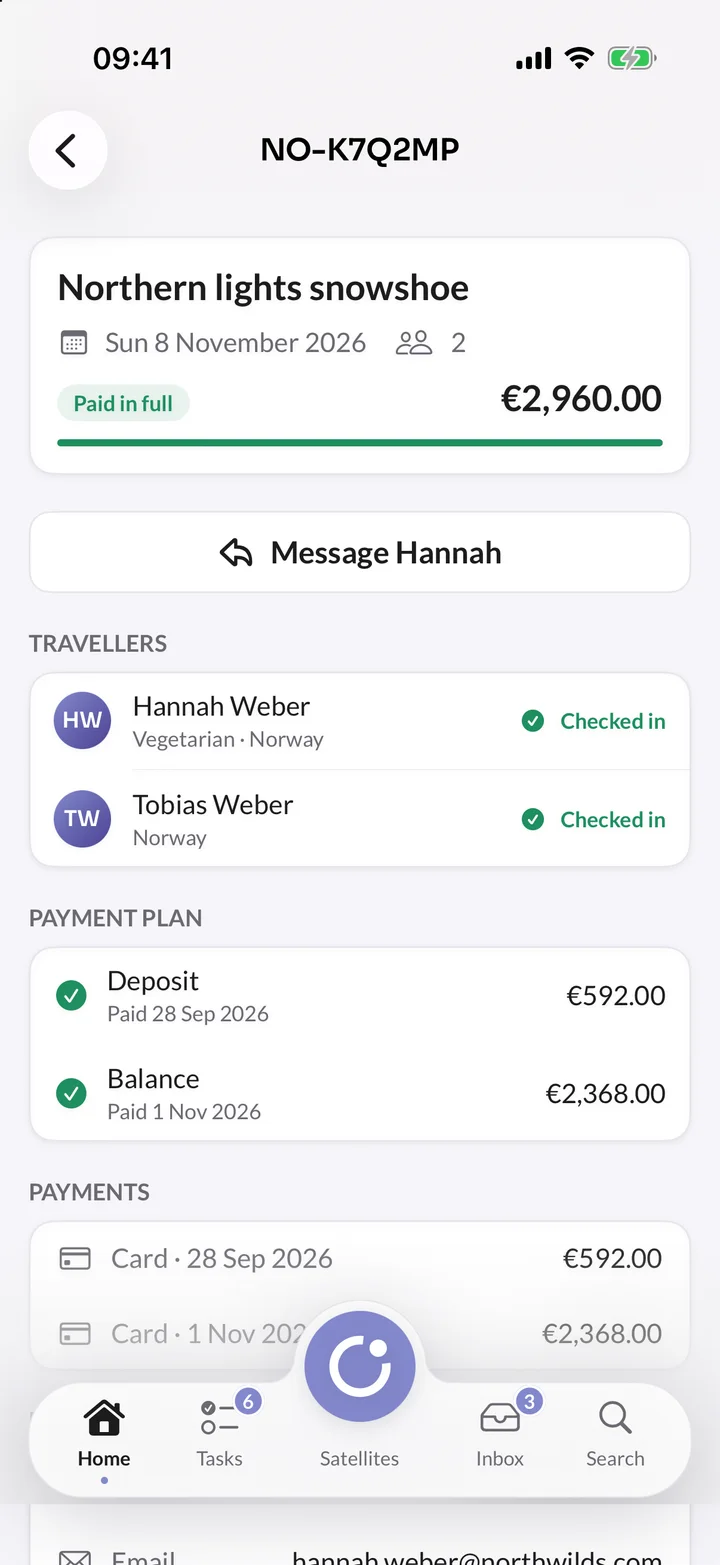
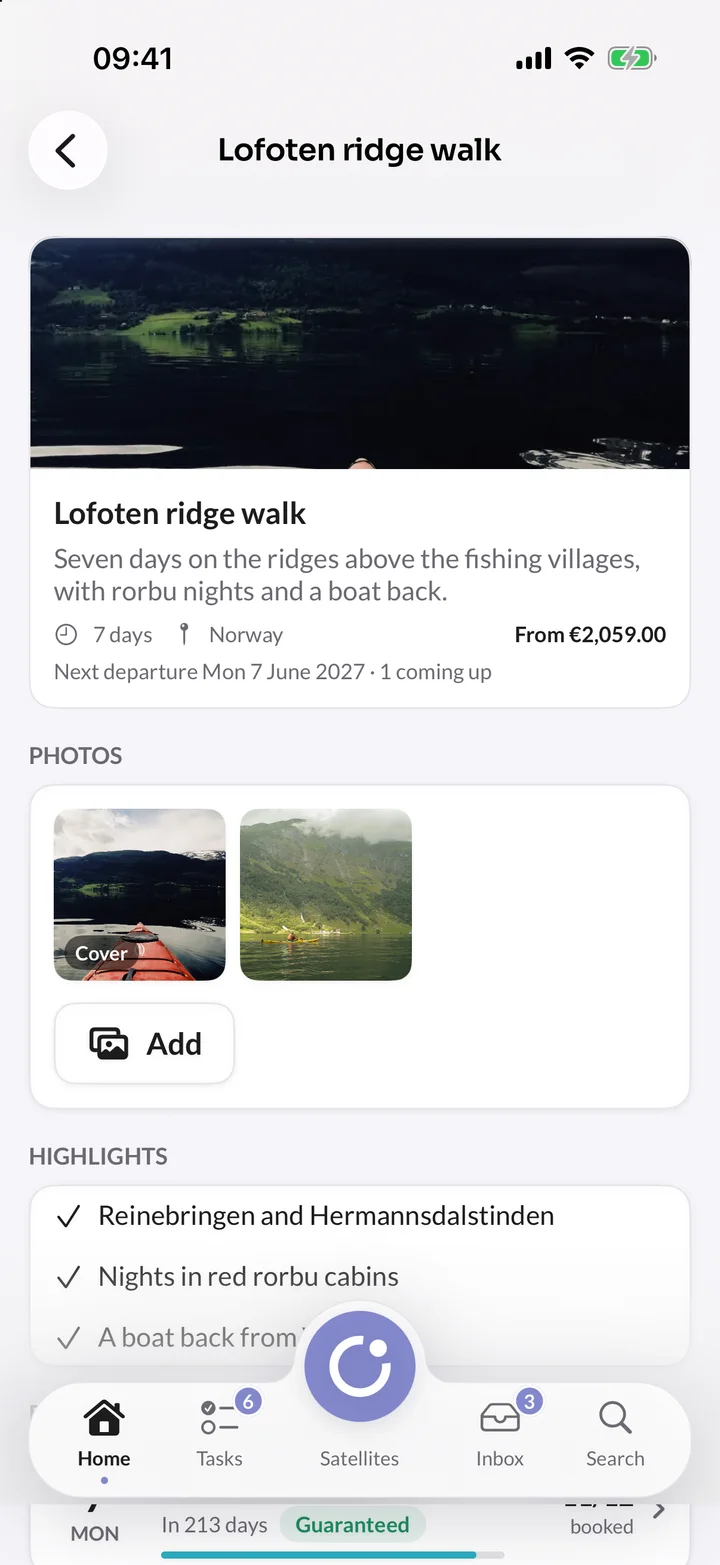
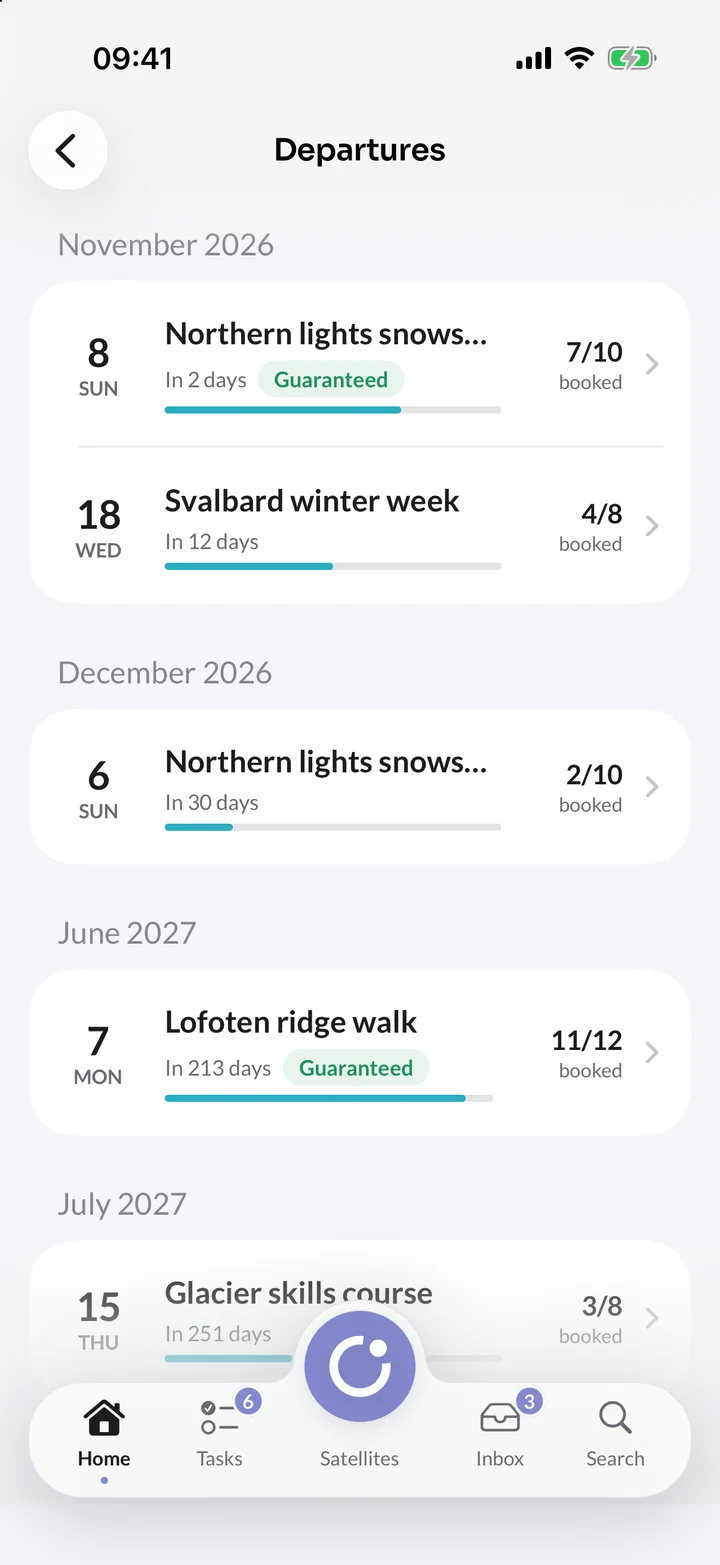
See how full each departure is, open a booking for its travellers and payment plan, check travellers in and message them.

It's part of the Orbit app, which is being tested and isn't in the App Store yet.

In orbit

Trips that reach your other satellites

Travel Orbit sends what happens to trips, departures and bookings through Orbit Exchange. Other satellites ask for travellers' details only when they need them.

  • Trips on your website

    Trip cards, Trip list, Book button and Next departures components, with prices and places left that refresh when someone books. One click drafts a page for a trip.

  • Reviews after the trip

    Presence Orbit asks the lead traveller for a review once the trip has ended, and never after a cancelled booking.

  • Visits to your booking website

    Add the Insights Orbit script to your own booking website to count its visits without cookies. Bookings don't reach Insights Orbit as goals yet.

  • One sending domain

    A domain verified for sending in Travel, Commerce, Careers or Presence Orbit sends email from all of them, in your own name.

Everything included

Everything in Travel Orbit

Every part of Travel Orbit, from the first draft of a trip to the traveller list on departure day.

104 features in 10 areas. A tag shows the plan a feature starts in; everything else is in every plan.

Trips and itineraries

  • Summary, description, highlights and what's included
  • Start from a blank trip or a copy
  • Countries, areas, activities, difficulty and group size
  • Up to 40 photos per trip, with descriptions
  • Itinerary day by day, with kinds of day and meals
  • Each day on a map, joined into a route
  • Flights, ferries, trains and buses, leg by leg
  • Where travellers sleep each night
  • A library of guides and places to stay
  • Your own kinds of day and meals
  • Public, unlisted or private trips
  • Draft, publish, archive and duplicate
  • Search title and description for each trip

Bookings

  • Book straight away or ask to book
  • Requests to confirm or decline, with a board
  • Book for a traveller after a call
  • Search by reference, name, email or trip
  • Ask for passport, date of birth, dietary needs and more
  • Your own questions, per booking or per traveller
  • Up to 24 travellers on one booking
  • Change a traveller's details on the booking
  • Cancel with the policy's refund, another amount or none
  • A full history of every booking
  • A conversation on every booking
  • Team notes, owners and follow-up dates

Team and brands

  • Brands of their own, each with its Stripe account
  • Viewer, Editor and Admin roles
  • Choose which brands each person opens
  • 15 interface languages, chosen by each person in Orbit
  • Notifications in Orbit and by email, as you choose
  • Mentions in team notes
  • An audit trail of every change
  • A bin for trips, guides, templates and images
  • Media library with folders, an image editor and focus
  • Uploads kept in your own S3-compatible bucket
  • Files from Cloudinary, Bynder and FrontifyGrowth

Departures and places

  • Departures with their own places and status
  • A run of dates in one go
  • Prices for one date, such as July
  • Places booked, being paid for and left
  • Limits per room, package or extra
  • Places held while travellers pay
  • Guaranteed to run, shown to travellers
  • Dates still to be decided
  • A book-by date for online sales
  • Team notes on each departure
  • Every departure as a list or a calendar

Emails and languages

  • Emails in your brand at every step
  • Change the words, preview and send a test
  • Reply templates filled in for each booking
  • Replies to emails land in the booking
  • Send from your own domain
  • Trips, booking site and emails in several languagesGrowth
  • Machine translation with DeepL or your AI providerGrowth
  • A list of words never to translate

Reports and the Orbit app

  • Overview with the last 30 days and what needs you
  • Money in by month and bookings by trip
  • Upcoming, received and failed payments
  • Totals in one currency at daily reference rates
  • Traveller list for each departure, with your columns
  • Download as CSV or print
  • Orbit app for iPhone, not in the App Store yet

AI

  • Writing with AI in your brand voiceGrowth
  • Templates for trip, destination and guide textsGrowth
  • Replies to travellers drafted with AIGrowth
  • Your own key from Anthropic, OpenAI, Mistral or OpenRouter
  • AI never writes prices, plans or dates
  • AI assistants such as Claude and ChatGPT over MCP
  • Trips added by assistants stay drafts with no price

Prices and payments

  • Payments into your own Stripe account
  • No fee on bookings
  • Rooms and packages, per traveller or in twos
  • Extras per traveller or per booking
  • Several currencies, each with its own prices
  • Deposit as a share, a fixed amount or nothing
  • Balance split into up to 24 instalmentsGrowth
  • Automatic payments from the saved card
  • Failed cards tried again one and three days later
  • Reminders before, on and after each due date
  • Discount codes for a percentage or an amountGrowth
  • Cancellation steps that work out the refund
  • Bank transfers, cash and cheques recorded by hand
  • Refunds and disputes from Stripe on the booking

Booking site and portal

  • Hosted booking pages in your name, logo and colour
  • Trip pages with itinerary, guides, dates and prices
  • Checkout in four steps, with Stripe's payment form
  • Any payment method your Stripe account offers
  • A destination page for every country you visit
  • Country facts, local time, weather and exchange rate
  • Your own travel guide for each country
  • Traveller portal with sign-in by emailed code
  • Travellers pay what's due from the portal
  • Automatic payments switched on or off by travellers
  • Organiser details and travel guarantee on every page

Website and developers

  • Trips on websites built with CMS OrbitGrowth
  • Prices and places left kept current on your websiteGrowth
  • A draft website page for a trip in one clickGrowth
  • Booking API and GraphQL, no key needed to read
  • Bookings taken on your own website
  • Traveller accounts on your own website
  • API keys to preview drafts and count requests
  • Revoked keys removed by admins only, with undo
  • API playground with your own trips
  • Events to other satellites through Orbit Exchange

Plans

Travel Orbit's plans

Every plan starts with a free 14-day trial, with no card, and includes booking pages, the traveller portal, and deposits and balances through your own Stripe account. There is no fee on bookings in any plan. Orbit itself, with sign-in, people and Orbit Exchange, is free for every organisation.

Prices in euros, excluding VAT.

  • Starter

    For a small tour operator with one brand, taking deposits and balances with no booking fee.

    €41/ monthbilled yearly at €492, after a free trial

  • Recommended

    Growth

    For operators with several brands, instalments, discount codes and trips in more than one language.

    €124/ monthbilled yearly at €1,488, after a free trial

  • Enterprise

    For larger organisations with their own requirements.

    From€490per month, with a yearly agreement

    Talk to us

Every plan includes

  • 14-day free trial, no card
  • Hosted in the EU
  • A full audit trail
  • 15 interface languages
  • Export your content any time
  • Files in your own bucket
  • A person answers support

The free trial lasts 14 days and includes everything in the plan you choose. Nothing is deleted when it ends: an owner chooses a plan under Billing in Orbit and you carry on.

Orbit Studio

Want a trip website like Northwilds?

Orbit Studio designs and builds tour-operator websites on CMS Orbit and Travel Orbit: trip pages, guides, itineraries on a map and a checkout that takes a deposit and later the balance.

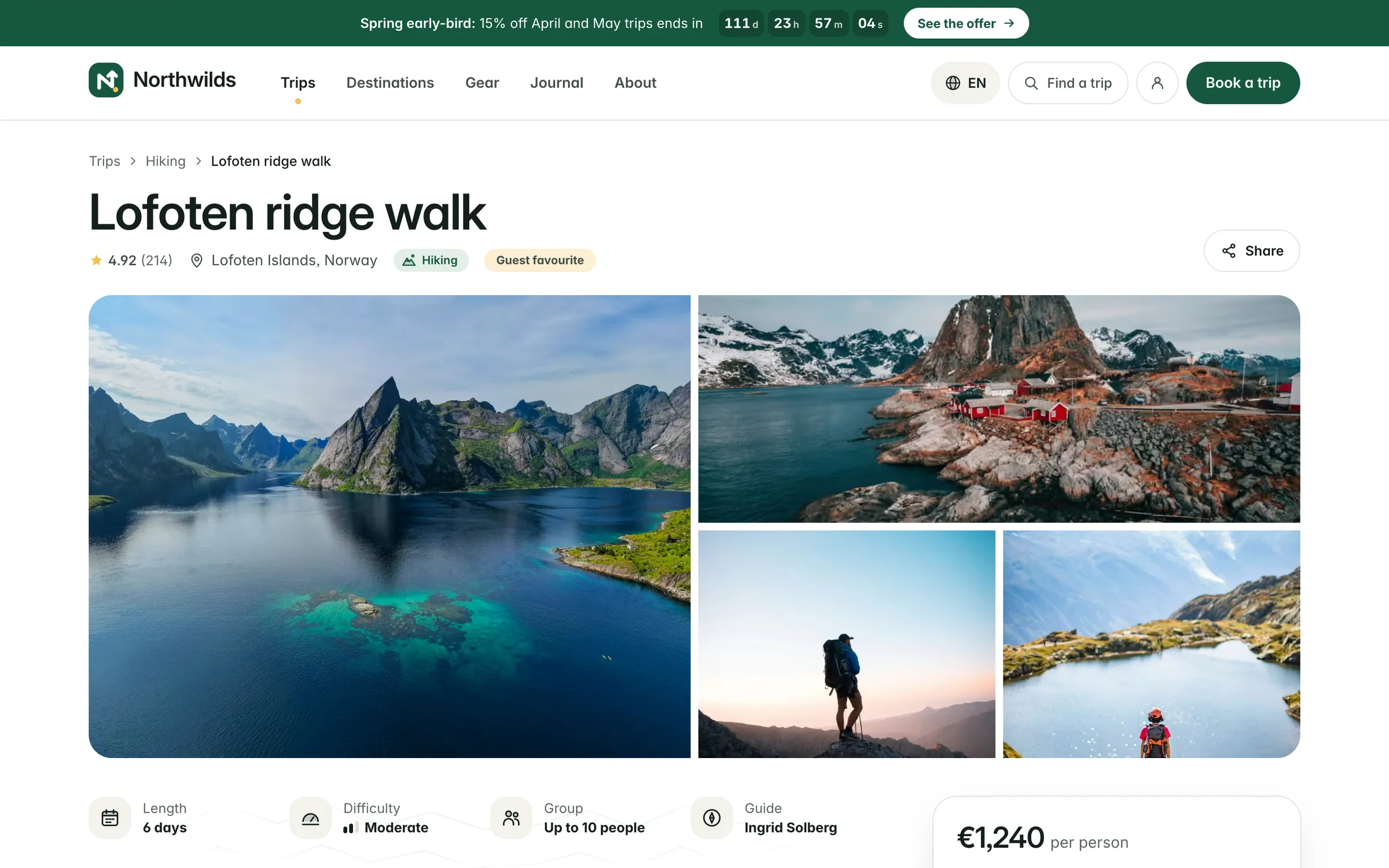
The finished Lofoten ridge walk trip page on northwilds.com, with a photo gallery, key facts and the price

Questions

Before you choose Travel Orbit

What does Travel Orbit cost?

Starter is €49 a month for one brand and up to 20 published trips, and Growth is €149 a month for three brands, unlimited trips, instalments, discount codes and several languages. Paying yearly costs less. Every plan starts with a free 14-day trial with no card, and there is no fee on bookings in any plan. See all plans. Orbit itself, with sign-in, people and Orbit Exchange, is free for every organisation.

Does the travellers' money pass through Bifröst Orbit?

No. Travellers pay your own Stripe account, or each brand's own account if you run several. Bifröst Orbit never holds your money and takes no fee on bookings. Card details are typed into Stripe's own payment form, so they never reach our servers.

How do deposits and instalments work?

Each trip has a payment plan: a deposit as a share, a fixed amount or nothing, a balance date and up to 24 instalments in between. Travel Orbit reminds travellers before each payment and, with automatic payments on, takes it from the card saved at checkout, trying again if it fails. Someone who books after the balance date pays everything at once.

Can we run more than one travel brand?

Yes. Each brand has its own trips, bookings, booking pages, legal details, emails and Stripe account, so money goes to the right company. Your team signs in once, and Admins choose which brands each person can open.

Can we show our trips on our own website?

Yes. Each brand gets hosted booking pages. A website built with CMS Orbit shows trips with its own components, with prices and places left kept current, and the booking API and GraphQL work with any other website, with no key needed to read published trips.

Can we edit trip photos in Travel Orbit?

Yes. The media library has an image editor: crop to a shape such as 3:2 or a share image, straighten, turn, flip, adjust, add a look and blur faces or number plates. The full image you uploaded is kept, so every edit can be changed or taken off again.

Where is my data stored?

In the EU. The platform runs in a data centre in Spain, with a recovery copy of the database and its backups in France, and files are stored and email is sent in Ireland. Our website and docs are also served from a server in the United Kingdom, which keeps no personal data. Our network provider may route traffic outside the EU under standard safeguards. The list of sub-processors names every provider.

Where do we get help?

Every feature is documented at docs.bifrostorbit.com, with step-by-step guides for editors and developers, full API references and a guide for AI agents. You can also ask our team in the chat on every page, and a person answers.

Bring your trips into orbit.

Add your first trip and its departures, connect your Stripe account and share your booking page today. The trial is free for 14 days.

Book a demo

From the blog

Read more about Travel Orbit

All posts
Comparisons

10 min read

Travel Orbit vs WeTravel, Rezdy and FareHarbor

A fair look at booking software for operators who sell set itineraries on fixed dates. Travel Orbit takes no booking fee on any plan, and automatic payments come with Starter.