SEO in CMS Orbit
Found first. And kept there.
Most of SEO isn't clever writing. It's a hundred small things done right on every page, every time someone presses publish. CMS Orbit does them for you, checks the rest as you type and tells search engines the moment anything changes.
Built in, not bolted on
What's usually left to plugins, developers and luck
A headless CMS stores content and hands it over. Everything search engines care about after that is often someone else's job. In CMS Orbit it's part of publishing.
A page moves
Often
The old address breaks until someone adds a redirect by hand, and links to it go nowhere.
In CMS Orbit
A 301 is added the moment it's published at its new address. Move a folder and every page inside gets one, with no chains or loops.
The same page in three languages
Often
Developers write hreflang by hand, and it quietly breaks when a page is added or hidden.
In CMS Orbit
Every version is linked in the page and the sitemap, with x-default, and checked on the live website every day.
A page is published
Often
Search engines find out on their next visit, which can take weeks.
In CMS Orbit
Bing, Yandex and the others using IndexNow are told as it goes live. Google reads the refreshed sitemap.
Is it on Google?
Often
Someone opens Search Console, finds the page and reads the report.
In CMS Orbit
The page editor shows whether Google has indexed the page, when it last came by and why not, if it hasn't.
Staging
Often
One wrong robots.txt and a test website shows up in search results.
In CMS Orbit
Every environment except production tells search engines to stay away, whatever the settings say.
Images
Often
Alt text is a box people forget.
In CMS Orbit
A page with an image missing alt text in its language can't be published.
SEO health
One score, and the quickest way to raise it
Every page starts at 100 and loses points for each error and warning, and the website's score is the average. Drafts are checked too, so a fix counts the moment it's saved, before it goes live.
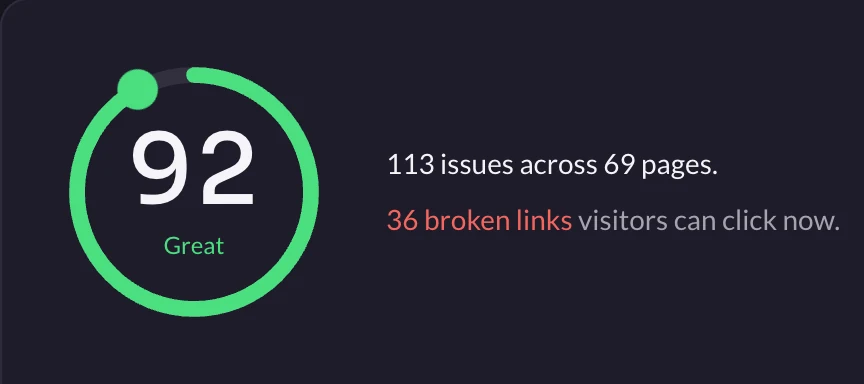
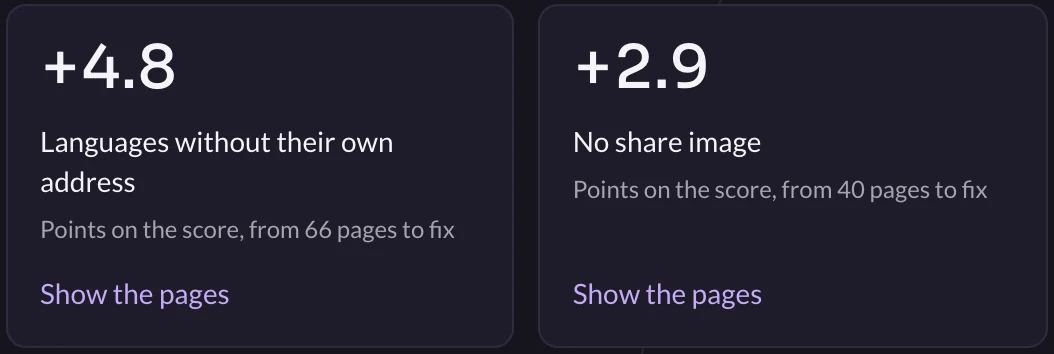
- Quick wins first: each issue shows how many points the whole website gains when it's fixed everywhere.
- Fix it in place: open an issue to fix it on the page, give it to someone, or leave it with a reason so it stops counting.
- Or hand it to an AI agent: copy any issue as a ready-made task for Claude, ChatGPT or Cursor, with the page, what's wrong and exactly where to fix it.
- A trend, not a snapshot: one reading a day for 90 days, per region and language.
Search previews
See every page the way a search engine shows it
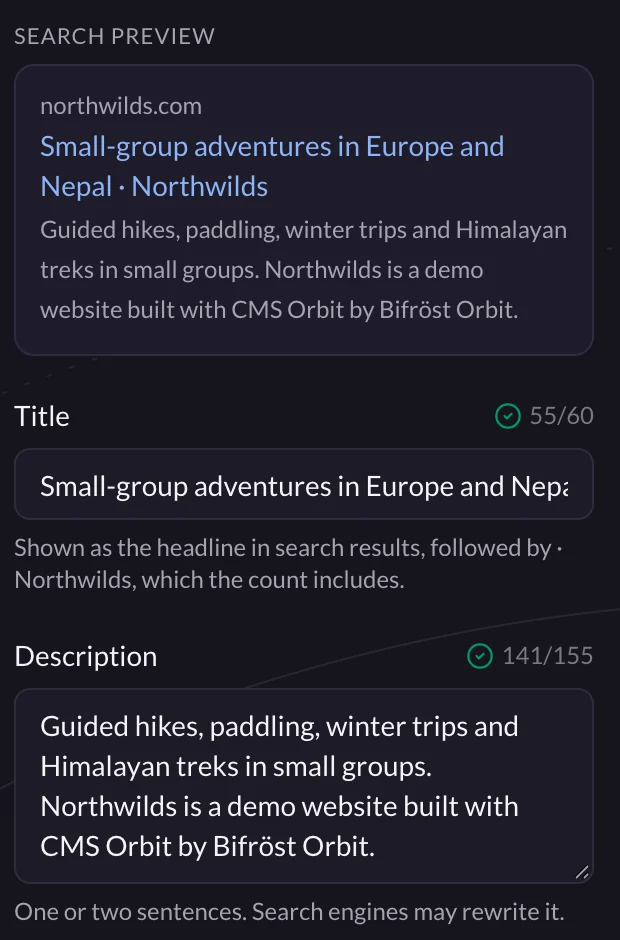
The SEO tab shows a page as it appears in search results while you write, with the length search engines really display. The title ending your website adds, such as "· Northwilds", is counted too.
- Every page in one list: SEO › Metadata shows them all as search results, filtered to pages without a description or with issues.
- Written by AI, approved by you: fill titles and descriptions in bulk from each page's own content, in your writing guidelines, and keep what people wrote.
- Or in a spreadsheet: export to CSV, change it, and see exactly what will change before importing.
Redirects
Pages move. Rankings stay.
A page that has earned its place in search results keeps it when its address changes. CMS Orbit adds a permanent redirect from the old address as the page goes live at the new one, and does the same for every page in a folder you move.
- No chains: a redirect to an address that is itself redirected goes straight to the end, and loops are refused when you save.
- Move it back: the redirects swap round, so nothing points in a circle.
- From a spreadsheet: import up to 5,000 redirects at once, checked row by row before anything is saved.
Languages and regions
One page, every language, linked for you
When a page has versions for Germany, Switzerland and everyone else, search engines need to know they belong together, so each visitor is shown their own. CMS Orbit builds those hreflang links and the x-default itself, in the page and in the sitemap. Nobody types a language code.
- Checked where it counts: once a day, CMS Orbit loads each published page from the live website and compares its language links and canonical with what they should be.
- Fixed in one click: a redirect left behind, a hidden version or a canonical elsewhere is fixed straight from the issue.
IndexNow and Google
Search engines hear about it first
The moment a page is published, moved, unpublished or deleted, CMS Orbit sends its address to Bing, Yandex and every other search engine that uses IndexNow, so they look within hours instead of on their next visit. The sitemap refreshes at the same time for Google.
- On Google, in the editor: with Search Console connected in Insights Orbit, each page shows whether Google has indexed it, when it last came by and, if not, Google's reason.
- The searches that found it: the top five Google searches that led to the page, with clicks and position.
Dead ends
Every lost visitor, without the noise
SEO › Not found lists the addresses visitors asked for that have no page, with how often and which pages linked there, and every link in your pages and menus that leads nowhere. One redirect mends it.
- Bots left out: scanners looking for /wp-admin or .env are never counted, and one-off guesses are folded away, so the list shows what's worth fixing.
- Live links first: broken links on published pages and in menus come first, because visitors can click them now.
Staging
Test websites stay out of search. Always.
Only production can be listed. Every other environment answers robots.txt with Disallow and tells search engines not to index each page, whatever anyone types in the settings. The checks still run there, so pages are ready before they go live.
In the editor
SEO sits beside the page, not in another tool.
The Northwilds home page in CMS Orbit, with its search preview, title and description counted as they're typed.
- The page, as visitors see it
- As search engines show it, with lengths that really show
And the rest
Everything else search engines read, done
Publish pages search engines love.
Start a website in CMS Orbit and see its SEO health on day one. The trial is free for 14 days, with no card.