Platform
Coming soon: the Orbit app for iPhone and Mac
We're testing two Orbit apps: a native iPhone app for every satellite, and a Mac app that puts the full desktop Orbit in its own window. Here is what's coming.
5 min read
On this page
Work doesn't wait for you to get back to your desk. A page needs approving while you're on the train, a customer arrives at the shop early, a one-star review lands on a Saturday. Today you open a laptop or squint at a website on your phone.
We're building two apps to change that: the Orbit app for iPhone and the Orbit app for Mac. Both are being tested now and aren't available to download yet. This post describes what they will do, so you know what's coming.
The iPhone app: every satellite, made for the phone
The Orbit app for iPhone shows what waits for you across your satellites, your notifications and search. Tasks, notifications, search results and each satellite open as native screens in the app, not as web pages in a frame. Only pages outside Orbit, such as a review on Google, open in Safari inside the app.
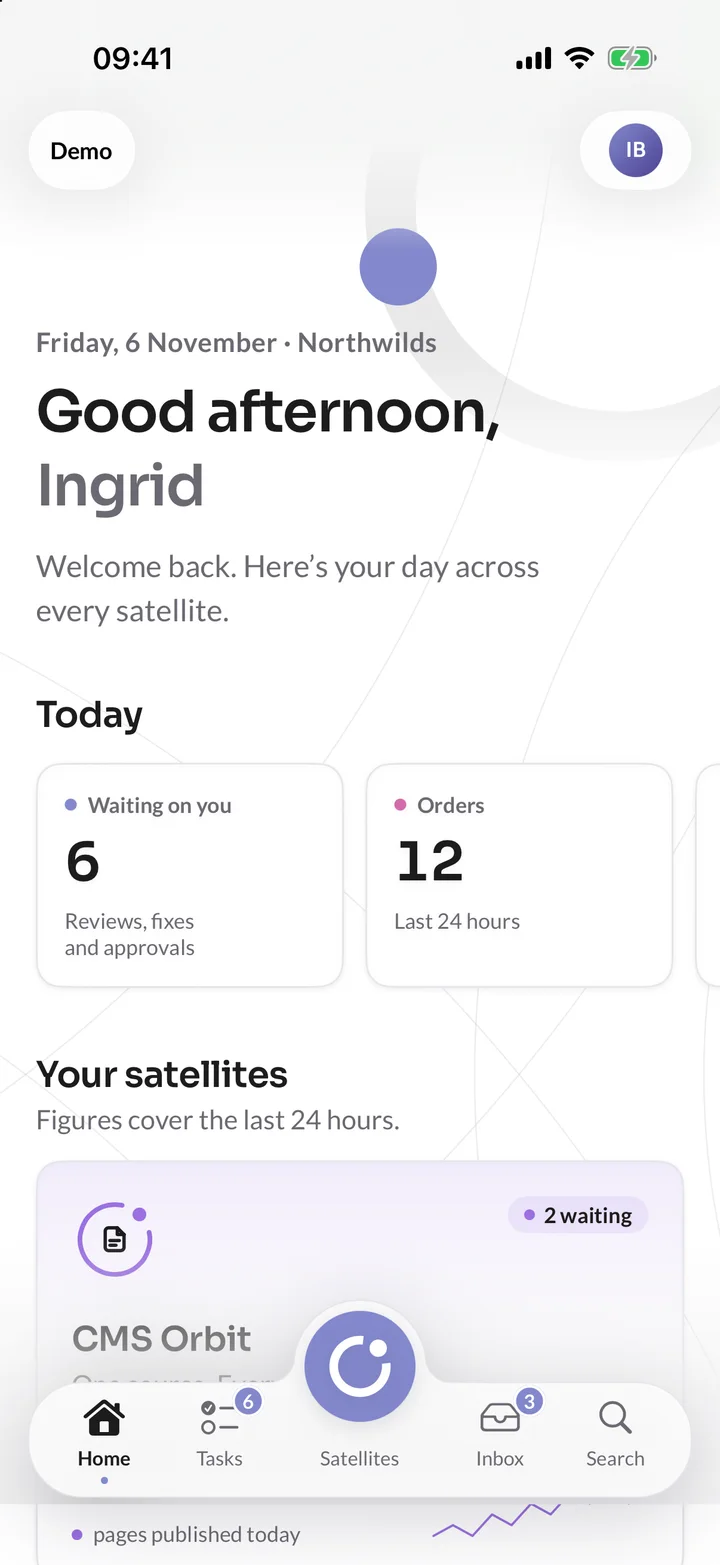
You sign in as you do on the web, with your company's SSO, a passkey with Face ID or a code sent to your email. The app never sees your Microsoft or Google password, and it uses the same people and roles as the web, so you can do in the app what your role lets you do on the web.
Approve tasks with a swipe
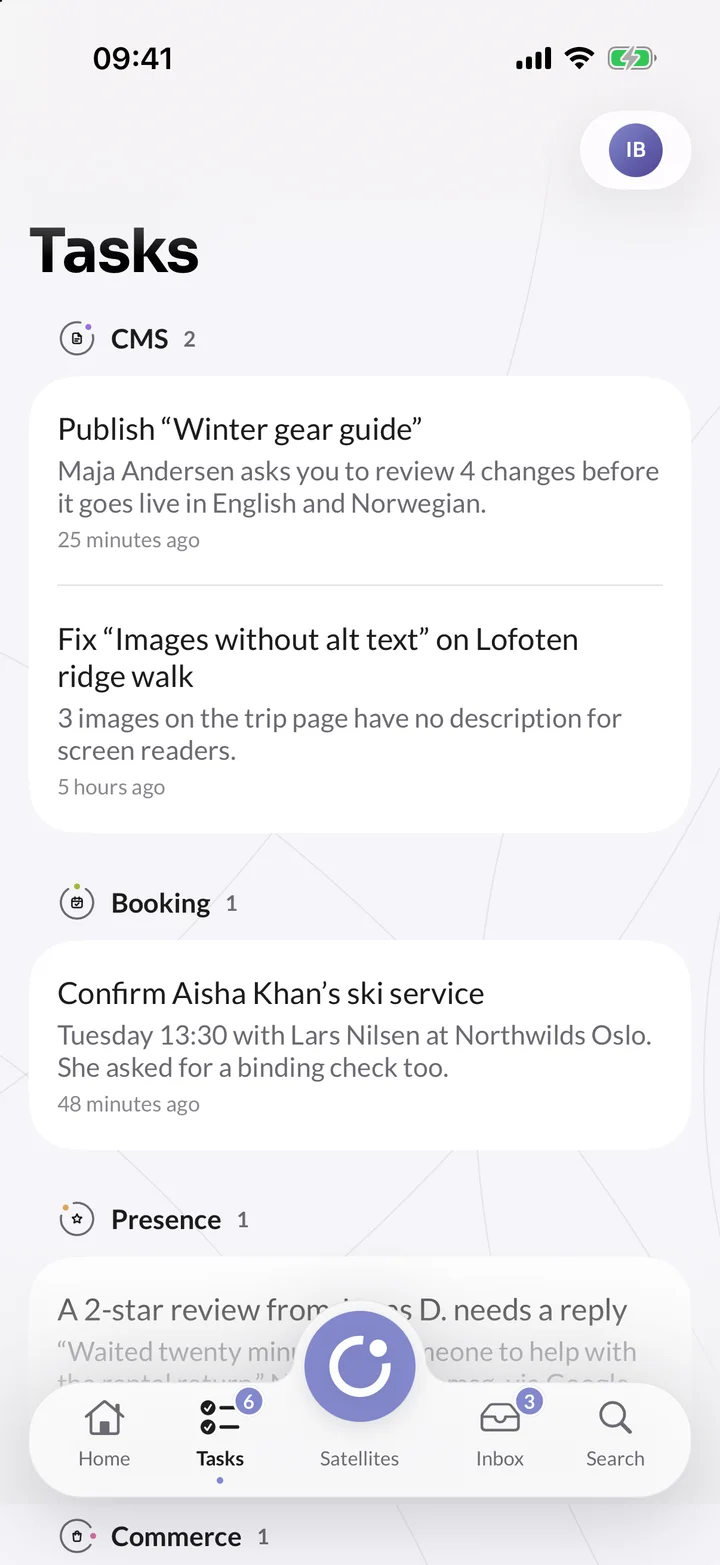
Pages to publish, a ski service to confirm, a review to answer: tasks from every satellite arrive in one list. Swipe to approve or send back, without opening a laptop. Say a Northwilds editor sends the Lofoten ridge walk page for review. You read what changed and the comments, then approve it. If the page publishes on approval, approving publishes it.
Edit pages, even offline
CMS Orbit has a full editor in the app, not a cut-down one. Every field and component is there, with controls made for the phone: rich text with headings, lists and links, components you drag into order, copy, paste, undo and redo. The app saves on its own and keeps your changes while you're offline, then sends them when you're back. It holds the page so nobody overwrites you, and locked brand components stay locked.
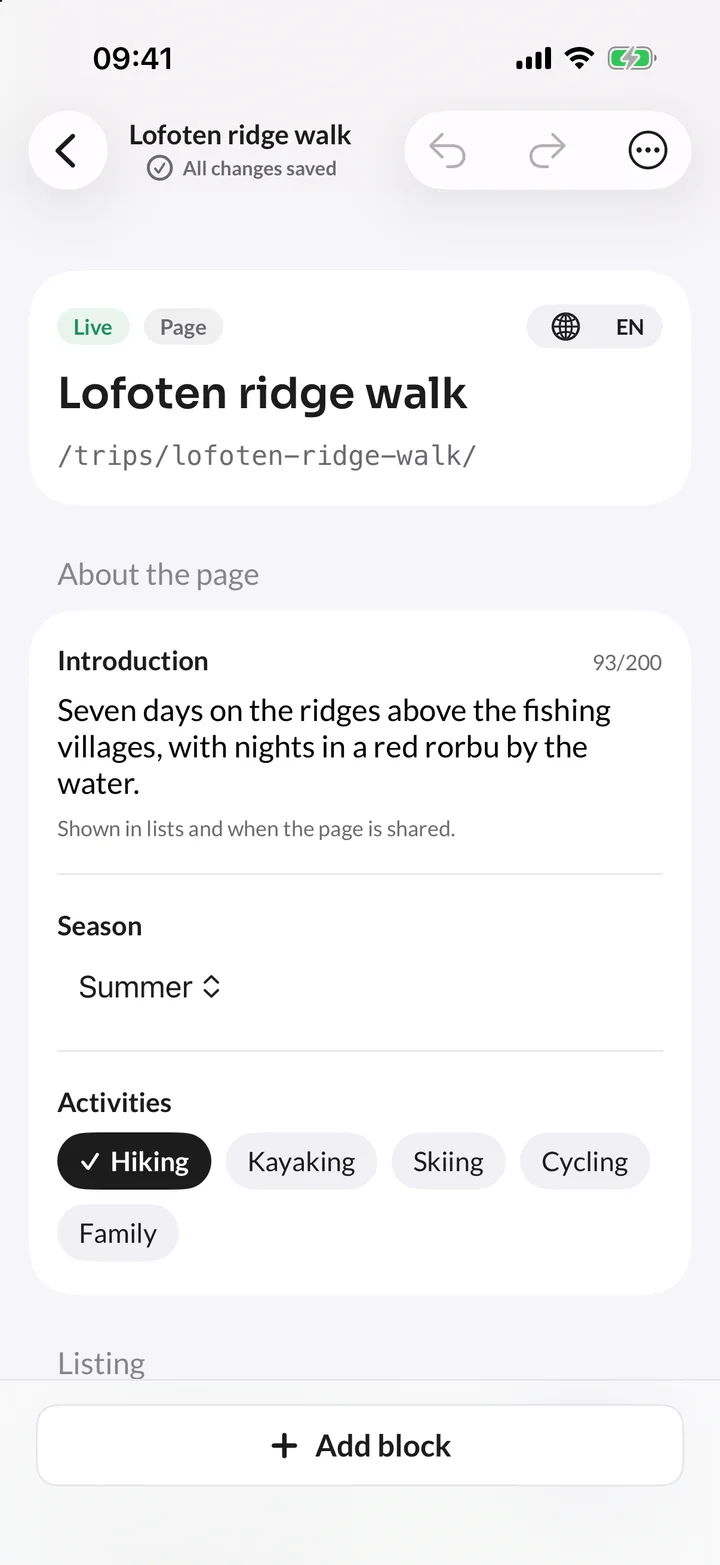
You can also fix a missing SEO title or description, describe photos for screen readers, and upload from Photos, Files or the camera to any satellite's media library. Photos are made smaller on the phone before they are sent, which saves your data.
The other satellites in your pocket
- Booking Orbit: Each location's day and who is next. At the Northwilds Oslo shop, swipe right to check a customer in for a boot fitting, or left for a no-show.
- Commerce Orbit: Follow orders and takings as they come in, send or refund an order, and scan a barcode with the camera to count stock.
- Travel Orbit: See how full each departure is, open a booking with its travellers, and check people in at the trailhead.
- Presence Orbit: New reviews from every site in one inbox. Reply, or start from a draft written with AI, and send it for approval when your organisation asks for one.
- Insights Orbit: Who is on your website right now, and every goal with its conversions.
Notifications you choose
The app asks once whether it may send notifications. Then you choose which ones reach your phone: all of them, none, or only some satellites, such as Booking Orbit and not CMS Orbit. The notification list in the app always shows everything, and tapping a notification opens what it's about.
Locked, and easy to sign out
Turn on the app lock and Orbit asks for Face ID or Touch ID when it opens, and when you come back after five minutes or more. Until you unlock it, the app shows nothing of your work. Your face and fingerprint never leave your iPhone.
Lost your phone? Your account on the web lists every iPhone and Mac signed in to the Orbit app. Choose Sign out next to it, and it stops reaching Orbit at once and gets no more notifications.
The Mac app: the full Orbit, in its own window
The Orbit app for Mac takes a different approach. It is Orbit as you know it from the web, with every satellite, in its own Mac window. It's the full desktop application, not a smaller version: the CMS Orbit editor and its live preview, Booking Orbit's calendar and every other screen work as they do in your browser.
Around it, the app adds what you expect from a Mac app:
- Tabs and windows: Tabs in the title bar, pinned tabs, two tabs side by side, and your windows back where you left them when you open the app again.
- Quick Search: Press ⌃⌥Space from any app to search Orbit and the documentation.
- Keyboard shortcuts: ⌘1 to ⌘9 open your satellites, and ⌥⌘P opens the CMS Orbit preview in its own window, ready for a second screen.
- Dock, menu bar and notifications: A Dock badge for what waits for you, your tasks in the menu bar and a macOS notification for each new notification in Orbit.
- Touch ID lock: The same app lock as on the iPhone, with Touch ID or your Mac's password.
The Mac app needs macOS 26 or later.
When can you have it?
Both apps are in testing, and we'll say when they're ready. In the meantime, everything they do works today on the web, with the same sign-in. Start now, and pick up your phone when the app arrives.
See the Orbit app on our website, or read how it will work in the docs: The Orbit app for iPhone, The Orbit app for Mac and Edit pages on your phone.
Read next
One sign-in for every tool your team uses and edit pages and trips together, in real time.